
My CityPASS
CityPASSTravel & Local
4.9242.00 Reviews
- Version
- 1.13.13
- Installs
- 500.00K
- Age Rating
- Everyone
Screenshots
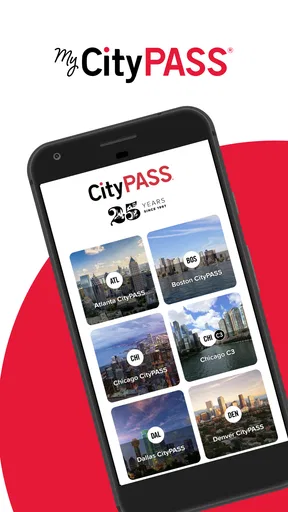
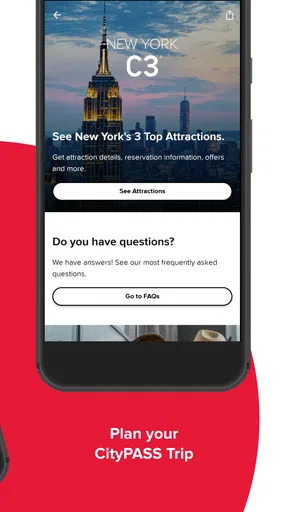
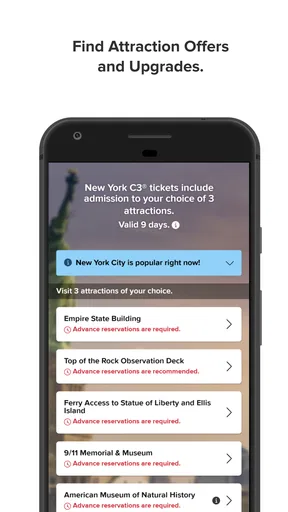
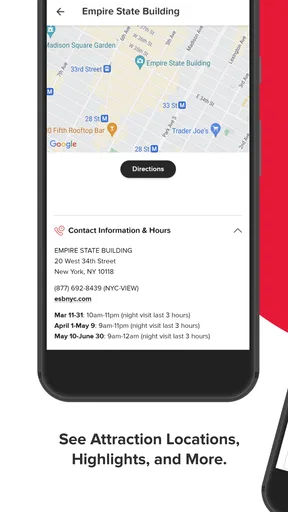
Our Review of My CityPASS
 Analysis by Appyee
I found My CityPASS most useful when I treated it as a trip-planning companion rather than as a complete replacement for every travel tool on my phone. It is a free Travel & Local app from CityPASS, built around organizing attraction visits. That focus sounds simple, but it matters: the app is most valuable after I have decided to use CityPASS and need a clearer way to keep the visit plan, pass details, and timing together.
My first impression was that the app is aimed at reducing the small bits of friction that appear during a sightseeing day. Instead of repeatedly searching through email, browser tabs, screenshots, and notes, I can use one place to return to the information connected with my attraction plans. I would recommend it to someone who wants a more orderly city break, especially when several visits need to fit around meals, transport, weather, or the energy level of a family.
It is not a general travel planner, a map replacement, or an attraction-review community. That distinction is important. If I only want directions, I would still use a maps app. If I want broad inspiration before choosing a destination, I would browse travel guides. My CityPASS makes more sense once the attraction-pass part of the trip is already relevant.
Where users can get stuck before the first visit
The most likely difficulty is not understanding the basic purpose of the app; it is knowing what belongs in the app and what still belongs elsewhere. A visitor may expect it to handle every part of a holiday, then feel disappointed when restaurant research, hotel reservations, public transport, and detailed neighborhood navigation remain separate tasks. I found it easier to judge the app fairly when I gave it one job: help me plan and manage attraction visits.
That narrower role is also its main strength. A sightseeing itinerary often becomes messy because the important details are scattered. One person has the booking email, another has the confirmation on a phone, and someone else remembers which attraction was supposed to come next. Keeping the pass-related planning in a dedicated app creates a shared reference point, even if the rest of the trip continues to live in other tools.
A second point of friction is timing. An attraction plan is not automatically a perfect schedule. I still need to leave room for queues, meals, transport delays, tired children, and the possibility that one visit takes longer than expected. My CityPASS can help me organize the intended visits, but it cannot make a crowded day behave like a timetable. I would avoid filling every available space with attractions just because the plan looks neat on screen.
There is also a difference between having access to information and being ready to enter an attraction. Before leaving, I would check that the relevant pass or visit details are available in the app and that I understand what I am expected to show or use at the venue. That simple check is more useful than discovering a problem while standing at an entrance with a group waiting behind me.
For families, the app is helpful when one adult takes responsibility for the itinerary, but that can create a new weakness if everyone assumes somebody else has checked the details. I prefer to agree in advance who carries the phone and who knows the backup plan. The app can centralize the information, but it does not remove the need for basic trip coordination.
What I check before relying on it
I begin by confirming that I am using the official app associated with CityPASS and that my device can run it. The published minimum operating-system requirement is Android 7.0, so older devices deserve attention before the trip rather than at the attraction entrance. I also make sure the phone has enough battery for the full outing, because a well-organized digital pass is not much help if the screen cannot be turned on.
After installing, I take a quiet moment to look through the app before adding pressure from a busy travel day. I check where the attraction plan appears, where the relevant pass information is displayed, and how I return to it after moving through other screens. This is a small habit, but it prevents the common mistake of learning the interface for the first time in a queue.
I would also check the app shortly before leaving, not only on the day the trip begins. Travel plans change, and an attraction may require a different kind of preparation than another. I do not assume that a digital planner replaces venue-specific instructions. If the app presents a visit detail, I compare it with the practical plan in my head: which attraction comes first, how I will get there, and whether the group has enough time to enjoy it without rushing.
One useful setup technique is to build the day around fixed commitments rather than around a long wish list. For example, if my family has a timed activity or a train to catch, I place that constraint first and use the attraction plan around it. This makes the app a decision aid instead of a reason to overbook the day. The most successful itinerary is not the one with the most entries; it is the one we can actually follow.
I would not install it for the first time immediately before boarding a flight and then expect the first attraction visit to go smoothly. A few minutes of preparation at home gives me the chance to sign in if needed, review the available information, and notice whether the phone displays everything clearly. It also lets me decide whether another adult should have access to the same travel details through the normal arrangements available to us.
The app is free to download, which lowers the barrier to trying it. That does not mean every travel situation becomes cost-free, of course; the attraction-pass purchase and the wider trip are separate considerations. I see the free app as the organizational layer around the CityPASS experience, not as a promise that attractions themselves are included simply because the app costs nothing.
Recovering when the planned workflow breaks
When something does not appear as expected, I avoid repeatedly tapping the same screen. I first return to the main area of the app, close and reopen it, and check that the phone has a reliable connection. If I am in a large venue, underground station, or crowded public area, connectivity may be the real problem rather than the app itself. Moving to a place with a stronger signal can be a more effective fix than changing settings at random.
I also verify that I am looking at the correct trip or pass information. A family member may have used a different email address, or I may be viewing a general planning area instead of the details connected with the actual purchase. The practical lesson is to confirm the account and purchase context before assuming that information has disappeared.
If the app behaves strangely after an update or after returning from another app, I restart it and then restart the phone if necessary. These are ordinary steps, but they are safe and reversible. I would not delete app data or reinstall while standing at the entrance unless I already knew how the pass information would be restored. A rushed reset can turn a temporary display issue into a more serious access problem.
Keeping the phone charged is part of workflow recovery too. I carry a power bank on a long sightseeing day and reduce unnecessary battery use when I know I will need the screen later. I also keep the essential confirmation information available through the normal account or email route associated with the purchase, without relying on a single open app screen at the exact moment I need it.
Another practical habit is to take a moment after each attraction visit to review what comes next. I do not mean creating a clutter of screenshots; I mean confirming the next stop while I am calm, then putting the phone away. This reduces the chance of walking in the wrong direction or discovering only at the end of the day that the group has misunderstood the order of the plan.
If a problem continues, I would use CityPASS support through the official channel rather than relying on guesses from a random forum. I would describe the device, the app version, the point where the problem occurs, and what I have already tried. The current version listed for the app is 1.13.13, so including the version shown on my phone would make the report more useful than simply saying that the app is broken.
When the app is not the cause
Some failures that feel like app failures are actually caused by the surrounding travel conditions. A venue may be busy, an entrance may be different from the one I expected, or a staff member may need to verify something that is separate from the app display. In those situations, the app can still contain the relevant plan while the delay comes from the attraction’s own operating process.
Transport is another example. My CityPASS can help me remember which attraction I intend to visit, but it does not replace live route planning. A delayed bus, a closed station, or an unexpectedly long walk can make a carefully arranged sequence unrealistic. I use a maps app for the journey itself and then adjust the attraction order rather than blaming the pass planner for a citywide delay.
Phone problems deserve the same distinction. A dim or damaged screen, aggressive battery-saving settings, a nearly full device, or an unreliable connection can make any travel app appear unresponsive. I check the basics before changing the app. If other apps are also struggling, the evidence points to the phone or network rather than to this particular tool.
There is a human cause as well: a group may disagree about what it wants to do. The app can show the plan, but it cannot decide whether a tired child needs a break or whether an adult would rather skip the next attraction. I like using the itinerary as a shared starting point, not as a rule that everyone must obey. Flexibility is especially important on multi-attraction days.
This is where the comparison with usual alternatives becomes clear. A notes app is more flexible for writing personal reminders, a calendar is better for fixed appointments, and a maps app is better for navigation. A browser can provide broad attraction information. My CityPASS is more focused than all of those options, and that focus is useful when I want the CityPASS-related visit plan in its own place. It is less suitable if I am looking for one universal dashboard for an entire holiday.
Who will get the most from it
I think the app suits visitors who have several attraction visits to coordinate and who prefer not to manage every detail through printed documents or scattered messages. It is particularly practical for families, couples dividing planning responsibilities, and travelers who want to check the day’s attraction sequence without searching through a crowded inbox.
A realistic example would be a family arriving in a city for a short break. One parent uses the app to review the attraction plan before breakfast, checks the next destination after lunch, and keeps the phone ready for the visit details while the other adult handles snacks and transport. When the children become tired, the adults can change the pace without losing track of what remains. That is a modest benefit, but on a busy sightseeing day, modest benefits add up.
It is also useful for someone who is comfortable with digital planning but does not want to build a spreadsheet. The app gives the trip a dedicated home without requiring me to design my own system. I appreciate that because travel planning often fails through overengineering: the more separate lists I create, the more likely I am to forget which one is current.
I would skip it if I am not using CityPASS-related attraction planning or if my trip consists of one spontaneous visit with no need to organize multiple stops. I would also choose a broader travel-planning tool if my priority is accommodation, restaurants, detailed navigation, or a day-by-day plan covering every part of the holiday. Installing this app will not remove the need for those tools.
The age rating is Everyone, which fits the app’s practical travel purpose. Still, the person responsible for the trip should manage the important access details, especially when children are using the phone. A simple interface does not change the importance of protecting the device and keeping control of the information used at attraction entrances.
My practical verdict after using it
My CityPASS succeeds because it concentrates on a real travel nuisance: keeping attraction visits organized without forcing me to reconstruct the plan from messages and emails. I would not call it an all-in-one holiday manager, and I think expectations are much better when that limitation is understood from the start.
The app has built a strong audience for a focused tool, with an average rating of 4.9 from around 13 thousand ratings and more than 500 thousand installs. Those figures do not guarantee that every traveler will enjoy the workflow, but they do match my impression that the basic idea is clear and useful for the people it targets. CityPASS is also the developer, so the connection between the app and the attraction-pass planning experience feels direct rather than improvised.
What I value most is not a flashy feature; it is the reduction of small decisions. I can separate attraction planning from restaurant research, transport, and general sightseeing inspiration. The trade-off is that I must still prepare sensibly, keep the phone usable, and understand that venue rules and city conditions can affect the day.
My recommendation is straightforward: install it before the trip, explore the relevant screens while you have time, confirm the plan before leaving, and keep a sensible backup route to your purchase information. Use it alongside maps and other travel tools rather than expecting it to replace them. For a CityPASS visitor who wants a calmer way to organize attraction visits, it is a worthwhile free companion. For someone seeking a complete travel command center, a broader alternative will be a better fit.
Verdict
Strengths of My CityPASS
- Conveniently stores eligible pass details in one place.
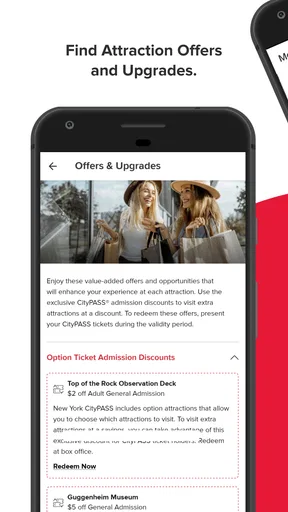
- Helps compare participating attractions and plan visits.
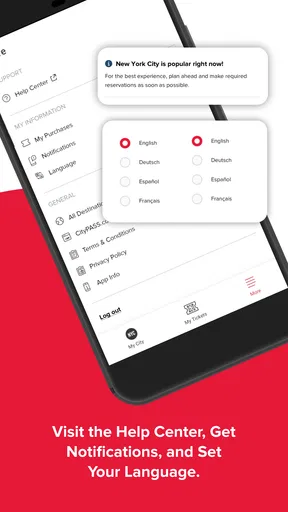
- Useful notifications can remind you about reservations or updates.
- Digital access reduces the need to carry printed tickets.
- Can simplify entry when mobile ticket scanning is supported.
Limitations of My CityPASS
- Benefits depend heavily on the attractions available in your city.
- Some activities may still require advance reservations outside the app.
- Pass validity and attraction rules can be difficult to track at a glance.
- Mobile entry may be inconvenient with low battery or poor connectivity.
- Not every participating attraction may support identical app features.
Similar Picks in This Category
View All
Google Maps
Google LLC3.4

Google Maps Go
Google LLC4.1

Booking.com: Hotels & Travel
Booking.com Hotels & Vacation Rentals4.8

Google Earth
Google LLC3.8

Skyscanner Flights Hotels Cars
Skyscanner Ltd4.8

trivago: Compare hotel prices
trivago N.V.4.4
Frequently Asked Questions
What is My CityPASS, and what can I use it for?
My CityPASS is a mobile companion for managing and using CityPASS attraction packages in participating destinations. After signing in or linking your purchase, you can view included attractions, check admission details, and organize your sightseeing plans from one place. Availability and features may vary depending on the city, the package purchased, and the current CityPASS program rules.
How do I add or access my CityPASS tickets in the app?
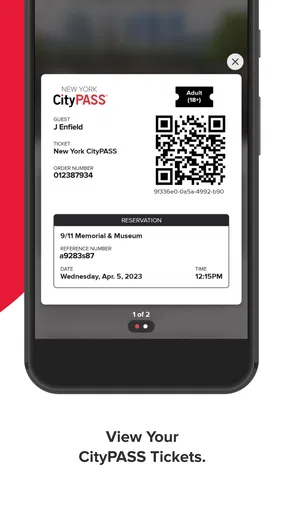
After installing My CityPASS, follow the prompts to sign in or connect your CityPASS purchase, usually by entering the information associated with your order or ticket. Once linked, your pass and attraction details should appear in the app. Make sure you use the same email or purchase information used during checkout, and keep your confirmation available if the app cannot locate your tickets.
Do I need an internet connection to use My CityPASS at attractions?
An internet connection is generally recommended when first downloading your pass information, checking attraction updates, or loading reservation and admission details. Depending on the pass and app version, some ticket information may remain accessible offline, but you should not rely on that without preparing beforehand. Open the app before leaving, sign in, and ensure your pass details are visible on your device.
Can I make reservations or check attraction requirements through My CityPASS?
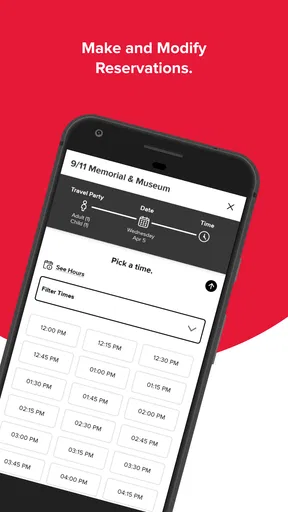
My CityPASS can help you review participating attractions, operating information, reservation instructions, and other visit requirements, although the exact tools differ by destination. Some attractions may require advance reservations, timed entry, identification, or separate booking steps outside the app. Always read the instructions shown for each attraction before visiting, since availability and policies can change during busy periods.
Is My CityPASS free, and does the app replace the cost of admission?
The My CityPASS app itself may be available at no additional charge, but it does not automatically provide free admission to attractions. Access depends on purchasing an eligible CityPASS product or receiving a valid pass. The total price, included attractions, expiration period, and possible reservation requirements vary by destination. Review the package details carefully before buying or downloading.
